 CARACAL
Digital signage player · Raspberry Pi 4/5 and PCs
Turn the TV on the wall into a screen that runs itself.
CARACAL plays web pages, Grafana dashboards, images, videos and IP cameras in a fullscreen playlist, with a web admin you open from any browser. It signs in to your dashboards, keeps bright websites dark and restarts itself when a page goes black.
- Latest2026.10.25
- Runs onRaspberry Pi 4/5 · x86 PC
- InstallDocker (recommended) · classic
- AdminEnglish · Czech
- LicenseGPL-3.0
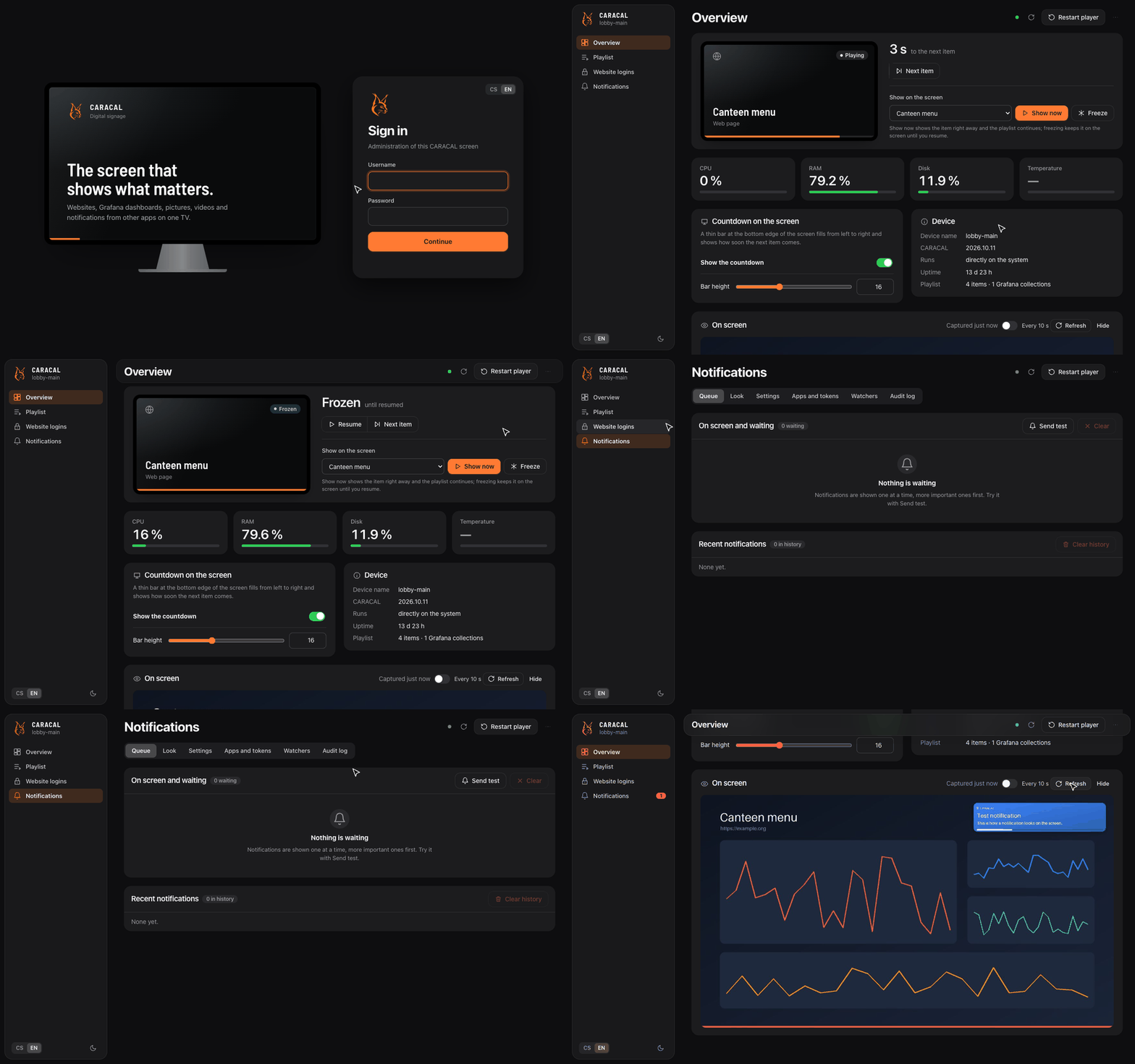
One playlist, everything on it
Drag items into order, set how long each stays and how far it is zoomed, live with a slider.
Small boards
Made to last on a Raspberry Pi 4 with 1 GB
Chromium on a small board usually ends with a frozen screen by Tuesday. On boards with up to 1.5 GB CARACAL starts Chromium in its low-end mode, restarts the browser between two items when memory runs out, and turns on compressed swap in memory.
A watchdog keeps the player fullscreen, and a website that keeps the screen black for five minutes gets the player restarted.
| Setting | What it does |
|---|---|
CARACAL_LOW_MEMORY | 1 or 0 forces the low-memory mode on or off |
CARACAL_CHROMIUM_FLAGS | extra Chromium options |
CARACAL_OVERLAY_FPS | frame rate of the countdown overlay |
On-screen notifications
The TV tells the room when something breaks
Pop-ups from Grafana, Alertmanager, Uptime Kuma or your own scripts through a token-protected API, shown one at a time from a queue, with your own look and sound per level.
Watchers ask other apps for new items and announce them: Zammad, Jira, Redmine, Freshdesk, GitLab, GitHub or any JSON API.
$ curl -X POST http://caracal.local:8080/api/notify/v1 \
    -H "Authorization: Bearer crc_..." -H "Content-Type: application/json" \
    -d '{"title":"Backup finished","message":"DB01, 42 GB","level":"success"}'
$ tail -Fn0 /var/log/app.log | grep --line-buffered ERROR | while read -r line; do
    curl -s -H "Authorization: Bearer crc_..." -H "Title: app.log" -H "X-Level: critical" \
      --data-binary "$line" http://caracal.local:8080/api/notify/v1 >/dev/null
  done
Install on Docker
Docker is the recommended way. The app, the player and the overlay run from
ghcr.io/gelluithor/caracal-node for arm64 and amd64; the device only runs Docker and the X display.
Updates replace the containers and roll back on failure. The data in /var/lib/caracal are kept.
Recommended for more screensDocker, set up by CARACAL Fleet
Fleet installs Docker, the display and CARACAL for you: from a zero-touch SD card, over SSH, or with one command on a running Raspberry Pi OS, DietPi, Debian, Ubuntu or Alpine. Fleet runs on any Docker host, the same Pi included.
$ curl -fsSL https://HUB/api/bootstrap/caracal-install.sh \
    | sudo sh -s -- --hub https://HUB --token TOKEN
One screen, without FleetDocker in one command
On Raspberry Pi OS Lite (64-bit), DietPi, Debian or Ubuntu. Installs Docker, the display and the CARACAL
containers, then open http://device:8080. The screen can join Fleet later.
$ curl -fsSL https://raw.githubusercontent.com/Gelluithor/Caracal/main/docker/install.sh | sudo bash
Without DockerClassic install
Installs CARACAL straight into the system with apt and systemd. Fleet can convert it to Docker later and keeps the data.
$ git clone https://github.com/Gelluithor/Caracal.git
$ cd Caracal && sudo bash install.sh
Got a Pi and a TV?
Flash Raspberry Pi OS Lite (64-bit), run one command and open the admin in your browser. More screens later? Each one joins CARACAL Fleet without reinstalling.
$ curl -fsSL https://raw.githubusercontent.com/Gelluithor/Caracal/main/docker/install.sh | sudo bash
# then open http://<device-ip>:8080