Tools for the screens, cameras and servers you already run.
Four open-source projects for people who look after real hardware: TVs in a lobby, a rack of NVRs, a Linux box that is slow for no clear reason. Everything runs on your own machines, installs in one command and works on a Raspberry Pi.
| Project | Looks after | Latest | Runs as | Platforms |
|---|---|---|---|---|
| caracal | one signage screen | 2026.10.25 | docker or native | Raspberry Pi 4/5 · PC |
| caracal-fleet | every screen at once | 4.21.0 | docker compose | amd64 · arm64 |
| elenvar | Hikvision NVRs and cameras | 1.2.0 | docker compose | amd64 · arm64 |
| tirnix | a Linux server | 0.2.0 | 1.5 MB static binary | x86_64 · aarch64 |
All four are GPL-3.0 and released on GitHub.
- Self-hostedNo cloud account, no subscription. Your data stays on your server.
- One command
docker compose upfor the web apps, a single binary for Tirnix. - Small hardwareBuilt for Raspberry Pi and arm64 boards as much as for x86 servers.
- Czech and EnglishThe web interfaces speak both, with light and dark themes.
Digital signage · Raspberry Pi 4/5 and PCs
CARACAL
Turn any TV into a managed screen. A Raspberry Pi plays web pages, Grafana dashboards, images, videos and IP cameras in a fullscreen playlist. CARACAL Fleet runs dozens of those screens from one place: what they show, when they show it, and whether they are still alive.

- Zero-touch install. Prepare an SD card or USB stick in Fleet, plug it in, and the screen sets itself up with your playlist.
- Content that runs itself. Schedules by hour and weekday, items with a validity, widgets for weather, RSS, calendars and meeting rooms, PDFs and slides.
- Know when a screen dies. Alerts by e-mail, Teams, Slack, Telegram or ntfy, a live screen wall, a map and monthly PDF reports.
- Screens behind NAT. Each screen dials out to Fleet, so nothing on the screen network needs to be opened.
- Ready for a team. Roles with scopes, approvals, SSO through OpenID Connect, customers for agencies, backups to S3, SFTP or Nextcloud.
$ mkdir caracal-fleet && cd caracal-fleet
$ curl -fsSLO https://raw.githubusercontent.com/Gelluithor/Caracal-Fleet/main/compose.yml
$ docker compose up -d
The node: CARACAL
The player on each screen. A web admin on port 8080, encrypted logins for dashboards behind a sign-in, forced dark mode for bright websites, pop-up notifications from Grafana, Uptime Kuma, Jira or GitHub, and a watchdog that restarts a player stuck on a black page. Runs on a Raspberry Pi 4 with 1 GB.
It runs on Docker, set up by Fleet from a zero-touch SD card or with one command; it also works on its own, without Fleet.
Ways to install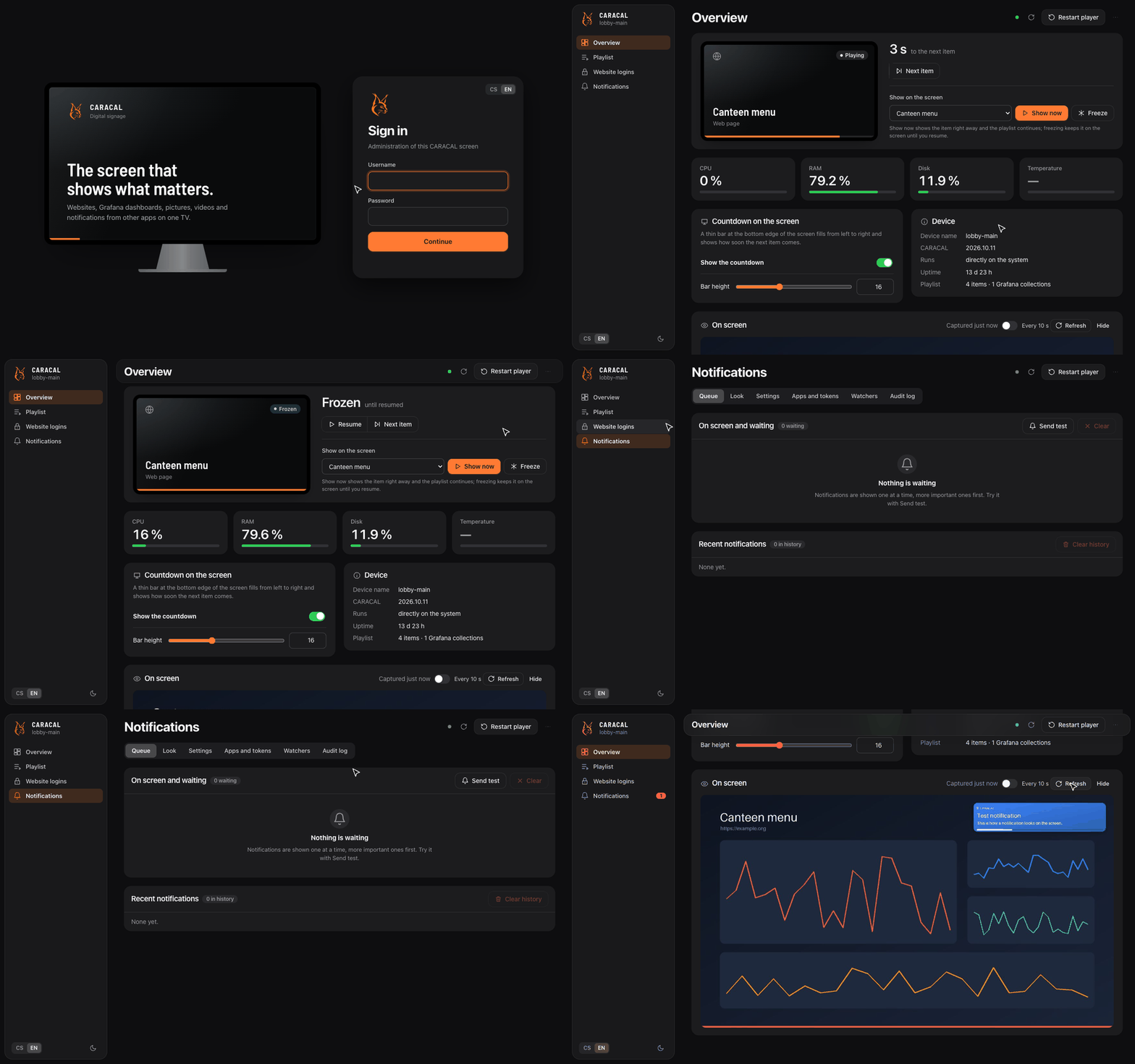
Video surveillance · Hikvision NVRs, DVRs, IP cameras
Elenvar
One web page for every Hikvision recorder you look after. Live view from many NVRs in one grid, a recordings timeline you can click through, and an e-mail the moment a camera that matters goes dark. No vendor app, no port forwarding to each recorder.

- Live view in the browser. 1, 4, 9 or 16 tiles from any mix of recorders. H.265 cameras are converted to H.264 when the browser can't play them.
- Recordings timeline. A day per camera with motion and alarms marked, playback from any moment, downloads straight from the NVR.
- Health checks every minute. Cameras, disks and clock drift. Alerts by e-mail or webhook to Slack, Discord or Home Assistant, only after repeated failures.
- Safe with old firmware and bad passwords. Falls back to FFmpeg for picky RTSP, and stops retrying before Hikvision locks the account.
- Hardened by default. TOTP two-factor sign-in, roles, an audit log, encrypted NVR passwords that never reach the browser.
$ git clone https://github.com/Gelluithor/Elenvar.git && cd Elenvar
$ cp .env.example .env
$ docker compose pull && docker compose up -d
Linux diagnostics · terminal UI
Tirnix
htop tells you the CPU is at 100 %. Tirnix tells you it stayed there for
30 seconds, which processes did it, what usually causes that, and which commands confirm it. Measured facts
and guesses are kept apart.
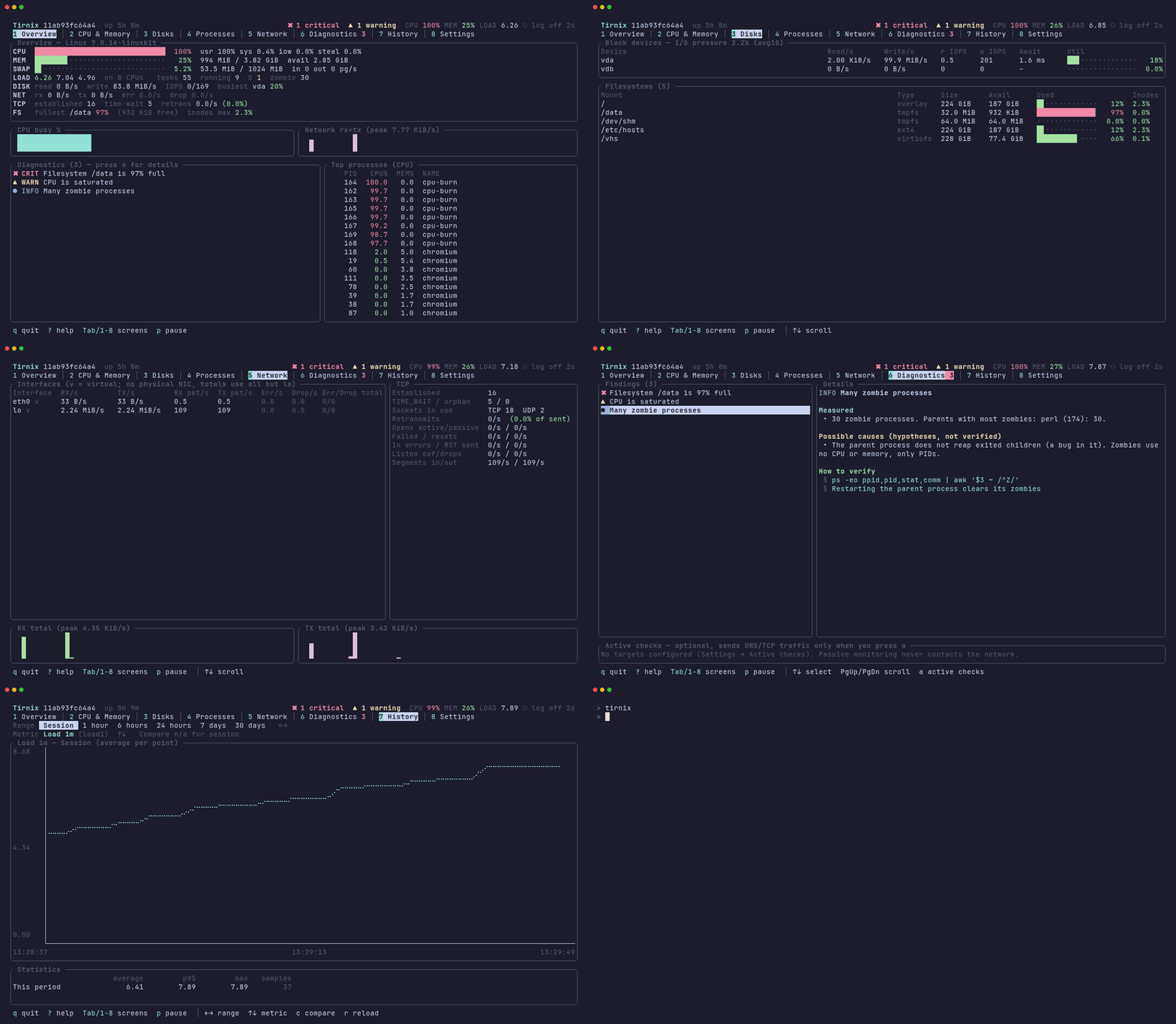
- Findings, not just numbers. Each one lists what was measured, possible causes and how to verify. One spike doesn't raise an alarm.
- Finds the source. Packet drops traced to the socket, NIC ring or conntrack table; a full disk names deleted files still held open; slow leaks are flagged.
- Honest data. Everything from
/proc,/sysandstatvfs. A missing source shows asn/a, never an estimate. - Made for servers. One 1.5 MB static binary, no root, no daemon, no telemetry. Fits in 80×24 over SSH.
$ curl -fsSL https://raw.githubusercontent.com/Gelluithor/Tirnix/main/install.sh | sh
How they fit together
Each project stands on its own. Together they cover a typical small site: the screens in the hallway, the cameras on the walls and the servers that run it all.
  your browser
      │
      ├──▶ CARACAL Fleet ◀──── agents dial out ──── CARACAL screens   (Raspberry Pi, PC)
      │      playlists, schedules, alerts                    │
      │                                                       └── can show RTSP camera streams
      │                                                                 │
      ├──▶ Elenvar ──── ISAPI + RTSP ────▶ Hikvision NVRs ──▶ cameras ◀──┘
      │      live view, recordings, health
      │
  ssh ──▶ tirnix   on any of those Linux hosts, when something feels slow